What a hotel website minimally needs
You don't need a 15,000 euro website to get guests to book directly. You need eight things that most sites are missing or doing halfway.
Why the basics matter
A guest who lands on your own site has already found you. He's considering staying with you. At that moment your website is the only hurdle between his interest and a booking without Booking.com commission.
Yet the majority of Dutch hotel websites send that guest back to the platform. Not because the site is ugly, but because one or more basic elements are missing. The guest finds no price, sees no button, takes three seconds too long to load the page on his phone, and gives up.
This article walks you through the eight essentials every converting hotel website needs, with a complete checklist to assess your own site. Want to look beyond the basics, then in the website conversion hub you'll find all the articles on direct bookings together.
1. A booking button above the fold
Above the fold is everything a visitor sees without scrolling. On a phone that's a small piece of screen. If there's no booking button there, chances are good the guest won't find it.
The button has two requirements. First: visible. Use an accent color that stands out from the rest of your site. Not a link in the text, but a real button. Second: functional. The button should lead to a working booking engine where the guest can choose date, room type and price, and pay directly.
Text that works: "Check availability", "Book directly" or "View available rooms". Text that doesn't: "Contact", "More info" or "Reserve" that leads to a contact form.
Read more on this in CTA buttons that work for hotels.
2. Current prices and availability
A guest who sees no price will look for one. And he'll find it on Booking.com. That's the moment you lose him.
You don't need to publish fixed prices on your site. What you need is a booking widget that shows current availability and price per date. Most booking engines offer such a widget as a plug-in for your site.
If you don't yet have a booking engine or are considering switching: what is a booking engine and do you need one gives a clear overview.
At minimum put a starting price per room type. That gives the guest an indication and filters visitors who are not in your price range anyway, which also saves you time.
3. Strong photos per room type
For an accommodation, the image is the seller. A guest doesn't book a specification, he books a feeling. And that feeling comes from your photos.
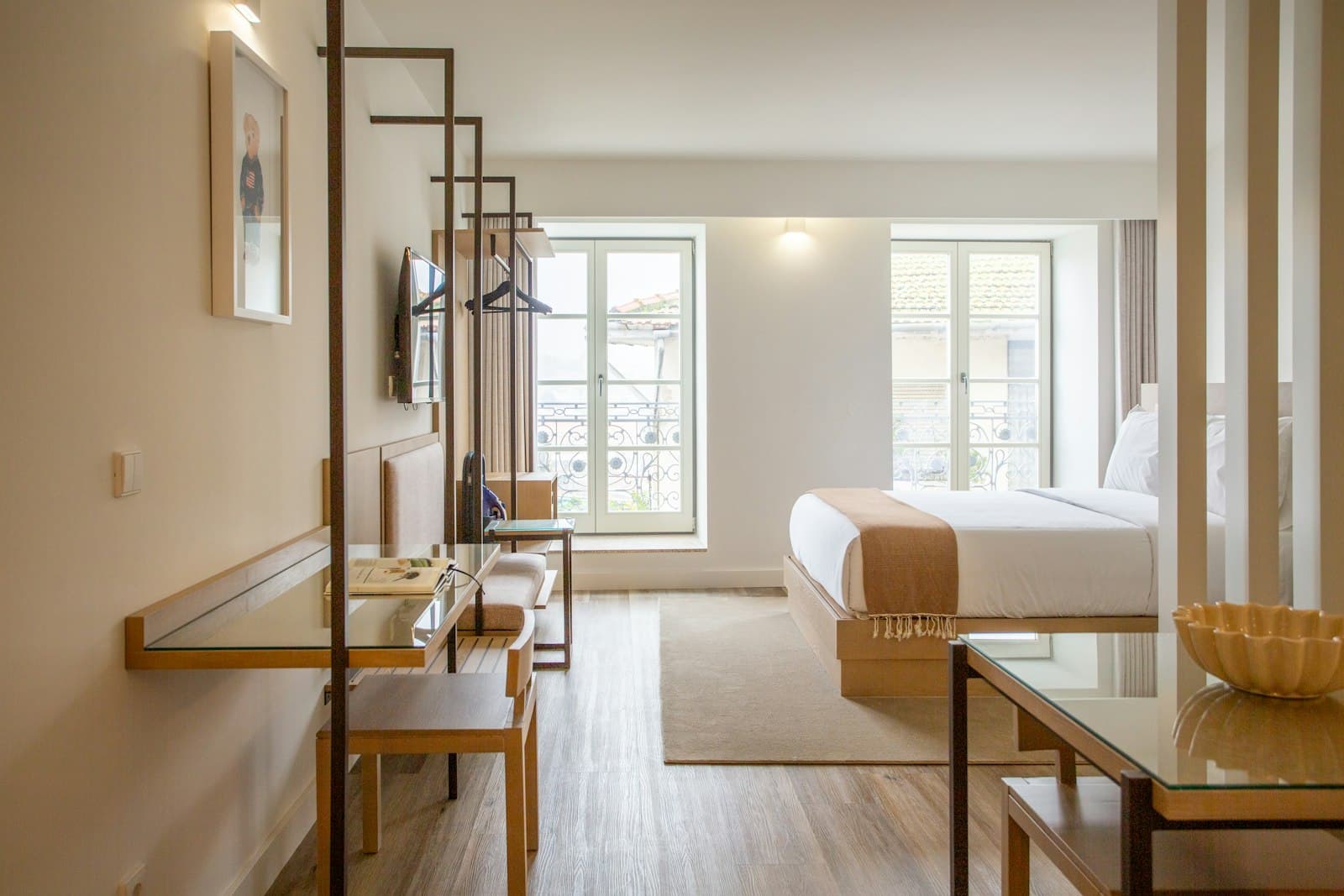
Three photos per room type is the minimum: an overview shot of the room, a close-up of the bed or a detail, and an image of the bathroom. Then add: common areas, breakfast if you offer it, and the garden or surroundings.
Good phone photos in daylight deliver more than professional photos in poor light or a messy room. It's about the feeling the space conveys, not the megapixels.
See also: photos for your hotel website: what works and what doesn't.
4. Mobile-first design
More than 60 percent of visitors to hotel websites come on a phone. On some accommodations that's 75 percent or more. A site that looks great on desktop but is slow, cluttered or unusable on mobile loses most of its visitors.
Mobile-first doesn't just mean your site looks good on a small screen. It means the booking button is within thumb reach, photos load quickly, text is readable without zooming, and forms are easy to fill out with an on-screen keyboard.
Test your own site now on your phone. Can you see the price of an available room within five seconds? Can you touch the button without zooming? If the answer to either of these is no, you're losing bookings.
More on this: mobile-first design for hotels: how to do it right.
5. Fast loading time
A site that takes longer than three seconds to load on mobile loses an average of more than half its visitors. Those three seconds are not a comfort zone, they are a hard limit.
The biggest culprit on hotel websites: photos taken straight from the camera and put on the site. A raw camera file of 4 to 8 MB has no place on a web page. Compress every image to 200 to 400 KB while maintaining visible quality. Tools like Squoosh or TinyPNG do this for free.
Other common causes of slow sites: too many plugins, external scripts that load before the rest of the page, and slow hosting.
Test your current score on PageSpeed Insights. A score below 50 on mobile is a problem. Above 70 is acceptable, above 85 is good.
Read the full action plan in page speed for your hotel site: from slow to fast.
6. Trust elements
A guest meeting you for the first time on your website has no reason to trust you. You have to give him that reason.
Four trust elements that demonstrably work:
- Reviews. Recent, real reviews from Google or Booking.com, visible on your homepage or room pages. Not a generic "guests rate us 8.7", but concrete quotes with a name and date.
- Contact details. A working phone number and email address. Visible in the header or footer, not hidden on a contact page. The signal: there's a human behind this accommodation.
- Address and photo of the building. Guests want to know where they're going. A clear address and an exterior photo of your accommodation remove doubt.
- Safety signals at payment. HTTPS, a recognizable payment system and a clear cancellation policy right near the booking button. Many guests drop out at payment if they're not sure what's stated.
7. An explicit reason to book directly
If your own site offers exactly the same price, same room types and same terms as Booking.com, the guest has no reason to book here. He books on the platform he knows.
Give him a concrete benefit. It doesn't have to be big:
- 5 percent discount for direct booking (valid thanks to EU parity rules)
- Free early check-in or late check-out
- Free cancellation until 24 hours before
- A welcome drink or breakfast on arrival
Put this benefit explicitly next to your booking button. Not in the fine print, but as your first argument to click here.
This goes hand in hand with the commission savings you achieve with it. Calculate your own case with the savings calculator.
8. Basic SEO
A converting site has no visitors if nobody finds it. You don't need to be an SEO specialist to get the basics right.
Four things that each count:
- Page title: describes what you are and where you are. "Hotel de Lindenboom | Bed and breakfast in Middelburg" scores better than "Welcome to our hotel".
- Meta description: the text Google shows in search results. 130 to 155 characters, with your location and a reason to click.
- H1 per page: a clear main heading that tells the visitor what they'll find on this page.
- Internal links: link from your homepage to your room pages, from your room page to the booking page. Search engines follow those links and understand the structure of your site.
More on SEO structure for hotel websites is in 5 errors on 80 percent of Dutch hotel sites.
From essentials to measurable improvement
The eight essentials are the foundation. Once you have those in place, the real work begins: measuring what visitors do on your site and deliberately adjusting. A site that meets the essentials usually converts 2 to 4 percent of its visitors to a direct booking. With targeted testing you lift that to 5 percent or higher, and at 1,000 visitors per month each additional percent is already 10 bookings.
Start small. Turn on a stats tool, see where visitors drop off in the booking step, and change one thing at a time. If you change your button text and your discount at the same time, you won't know afterward what made the difference. Test in isolation instead, give each change two to four weeks, and keep only what demonstrably brings more bookings. The complete action plan for this process is in conversion optimization for your hotel site.
The complete checklist
Use this table to assess your own site. Go through it point by point before you consider a new design or bring in an agency.
| Item | Why it matters | Priority |
|---|---|---|
| Booking button above the fold | Without a visible button no direct bookings | Critical |
| Working booking engine | Guests must be able to pay directly | Critical |
| Starting price per room type | Without price the guest drops off | Critical |
| Availability visible | Current info prevents drop-off | Critical |
| Minimum 3 photos per room type | Image sells the feeling | High |
| Photos of common areas | Complete picture of the accommodation | High |
| Mobile-friendly design | 60 percent plus of visitors come on phone | Critical |
| Loading time under 3 seconds on mobile | Above 3 seconds you lose half | High |
| Images compressed | Biggest loading time gain, simple to do | High |
| Visible reviews | Trust for new visitors | High |
| Phone number in header | Low-threshold contact increases trust | Medium |
| Address and exterior photo | Clarity about location | Medium |
| HTTPS and security badge at payment | Guests otherwise drop off at payment step | High |
| Reason to book directly | Without benefit guest chooses platform | High |
| Page title with location and type | Foundation for organic reach | High |
| Meta description per page | Increases click-through rate in search results | Medium |
| H1 per page | Structure for search engines and readability | High |
| Internal links | Guide guests and search engines to right page | Medium |
| Cancellation policy visible at booking button | Remove doubts at decision moment | High |
| Contact page with map | Trust and findability | Medium |
Where to start
Go through the "Critical" rows first. If any of those four is missing from your current site, that's the reason your direct bookings are failing, not the color of your button or the font size of your text.
Common mistakes
Wanting to do too much at once. The first reaction after this checklist is often: tackle everything at once. That doesn't work. Start with the four critical points. Those deliver the most in the shortest time.
Thinking you need a new website. Three of the four critical points you solve on your existing site: add a booking button, hook up a booking engine, place a starting price. Only if your site is fundamentally broken on mobile or technically beyond repair is a new design the faster solution. What such a new site costs is in how much does it cost to have a hotel website built.
Photos on half power. The nicest texts and the fastest site won't convince a guest if the photos do the room a disservice. Invest an afternoon in new photos in daylight before you do anything else.
Treating SEO as an afterthought. Basic SEO costs no money and no weeks of work. A good page title and meta description are sorted in an hour. Don't skip this.
Neglecting to mention a benefit for direct booking. This is the mistake that costs you the most money. Guests who land on your site are ready to book. If you don't give them a reason to click here instead of going back to Booking, you're giving them away.
The most underrated mistake
Many owners improve their site but forget to add a direct booking discount or benefit. The guest who goes through the entire process and reaches the booking button then compares on Booking anyway. And books there, because the price is the same.
What you can do now
You now know which eight elements your site needs and which deserve the highest priority. The next step is action, not more research.
Start today with the checklist. Go through the "Critical" rows and note what's missing. Then:
- Don't have a booking engine yet? Read what is a booking engine and do you need one for a comparison of options.
- Are your photos a weak point? Read photos for your hotel website: what works and what doesn't.
- Is your site slow? Read page speed for your hotel site for a concrete action plan.
- Want to see what direct bookings will bring you? Use the savings calculator.
- Want an agency to set up the foundation for you? Check out building websites for hotels.
A converting hotel website is not a matter of budget. It's a matter of the right foundation in the right place.
Frequently asked questions
What are the essentials of a hotel website?
How expensive is a good hotel website?
Do I need a booking engine on my hotel site?
What's the first thing I should improve on my existing site?
How do I know if my site is fast enough?
Should I invest in SEO for my hotel site?
What's a good conversion rate for a hotel website?
A concrete tip in your inbox each month
Practical marketing and automation tips for small-scale accommodations. No sales talk, unsubscribe anytime.
Your email address is only used for these emails and never shared. You can unsubscribe from any email. See the privacy policy.